
Folder Upload Instructions
What goes where, and when — so nothing gets filed in the wrong month.
File by closing date, not due date
This is the single most common mix-up, so let's make it crystal clear.
The rule
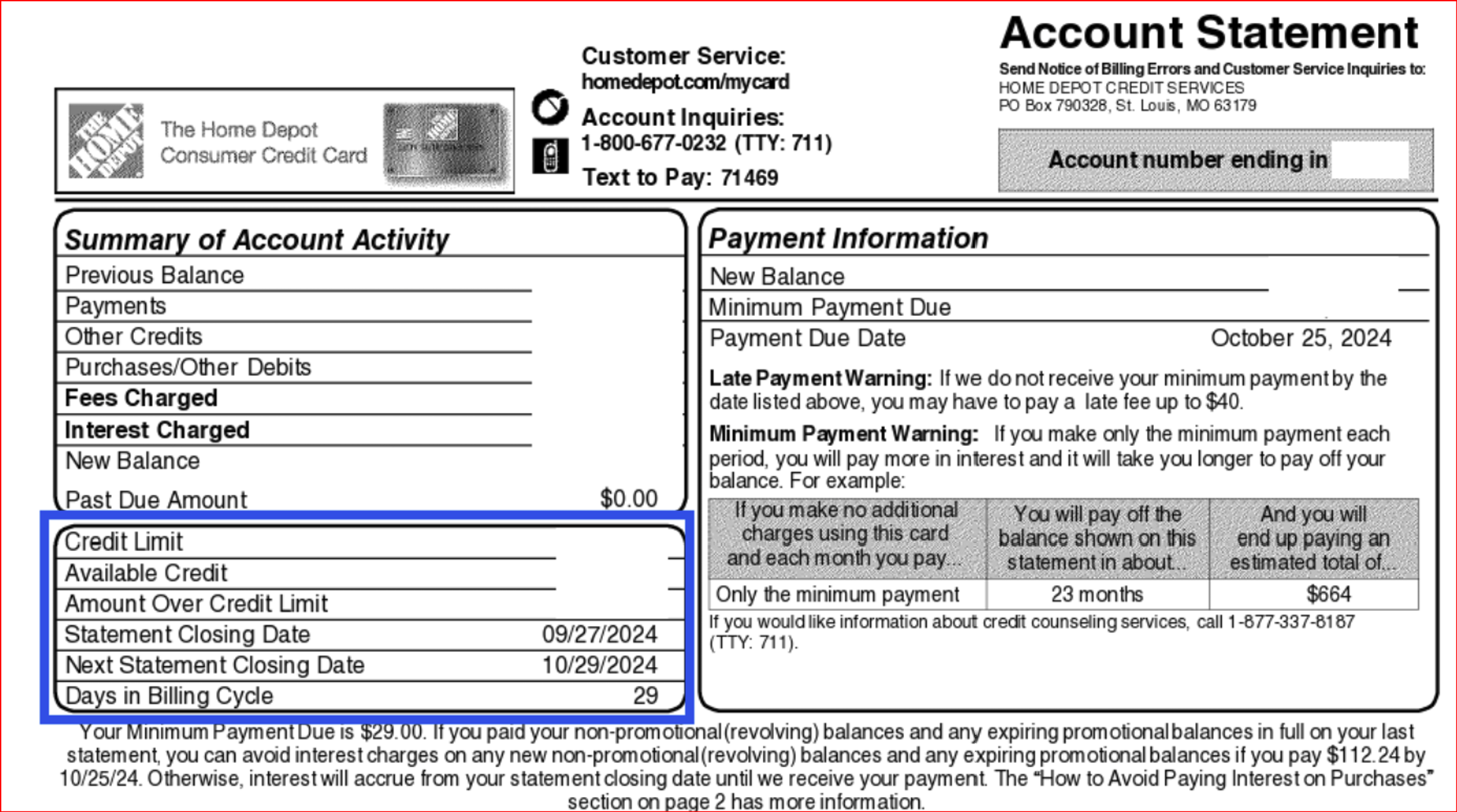
When we ask for a month's documents — say, your June statements — upload the statement that closes in June, not the one that's due in June. The due date tells you when to pay. The closing date (sometimes called the "statement date" or "billing cycle end date") tells us which month the transactions actually happened in — and that's what determines which folder it belongs in.
Due date — when your payment is owed. This has nothing to do with when the transactions on the statement happened.
Closing date (statement date) — when the billing cycle ended. This tells us which month the transactions belong to.
Example: a card that closes on the 28th, due on the 15th of the following month
Quick check before you upload: look at the top of your statement for the "statement period" or "billing cycle" dates — that's what matters, not the "payment due date" printed near the bottom.
This statement would be filed in:
This statement would be filed in:
This statement would be filed in:


POS (Point of Sale) reports
If you use a point-of-sale system, here's exactly what we need and in what format.
Sales transaction reports
Full detail report — every transaction, not a summary
Sales summaries
A summarized overview of sales
Daily Z-reports
Needed for every single day sales occurred — not just a weekly or monthly rollup
Exception: if Amber has her own direct login to your POS system, she'll pull all of the above herself — you won't need to upload any POS reports.
Not sure which month something belongs in? Ask before uploading at contact@1stbookkeeping.com — better a quick question than a document in the wrong folder.